Knowledge Base
Categories: Management
HostGator Individual Ownership – Account Holder Deceased
The HostGator account holder's deceased process allows authorized individuals to request control of a HostGator account after the Primary Contact has passed away. To protect account security and ensure proper HostGator ownership transfer, the company requires valid identification and supporting legal documents before granting access. This ensures the hosting account is transferred safely and only to verified individuals with legal rights.
This article discusses the following:
Required Documents
To update the primary contact on an account, gather all the required documents:
- Valid Government-Issued Photo ID (full color): A valid, unexpired, government-issued photo ID of the individual requesting to become the Primary Contact.
- Driver's license
- ID card
- Military Photo Identification
- Passport
- The ID provided must match the name on any supported legal documentation that will be requested.
- The ID must be in color – Black and white scans/photos will be rejected.
- The ID must be legible – All text, including your name, address, and expiration date, must be clearly readable. Avoid blurry or low-resolution images.
- The ID must be valid and not expired – Expired documents will not be accepted.
- Upload must be a scan or clear photo of the physical ID – Screenshot of digital IDs or photos of screens displaying your ID are not accepted.
- Additional Documents: To ensure your request can be processed, we require at least one of the required documents below to be provided. However, additional supporting documentation should be provided if applicable.
- Death Certificate
- Letters of Testimony/Will/Government Issued documents
- Requestor’s ID (must be listed on LOT as the recipient of the deceased assets)
- Court Order
- Other Legal Documentation
- The document(s) must match the name as shown on your submitted identification, be clear and legible.
- Depending on the state and local laws, you may be requested to provide additional documentation by our Account Recovery Team.
- Partial document(s) will not be accepted – Make sure the full page is visible (do not crop out or redact names, addresses, or dates).
Account User and Roles
- Account Owner/Primary - Who manages everything on the account, including Admin, Tech, Billing, and Domain.
- Admin/Tech - Handles the Technical or Administrative tasks on the account.
- Domain Owner – Listed as the domain name registrant on the domain(s) in the account.
- Other – None of the above descriptions fit your role.
For the Domain Owner role, please refer to the How to Change Domain Ownership article.
How to Submit a Request for Account Holder Deceased
- Go to https://www.hostgator.com/my-account/account-recovery-new.
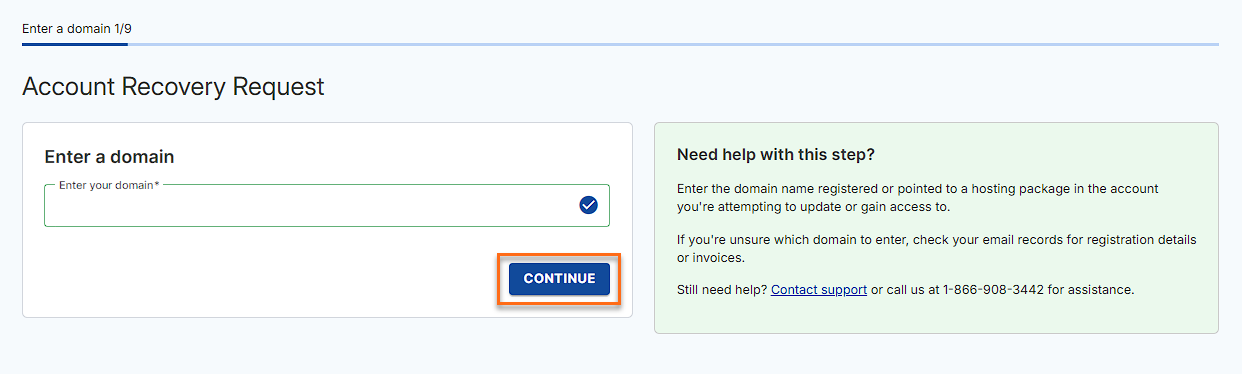
- Enter your domain and click Continue.
- Select your role from the options and click Continue.
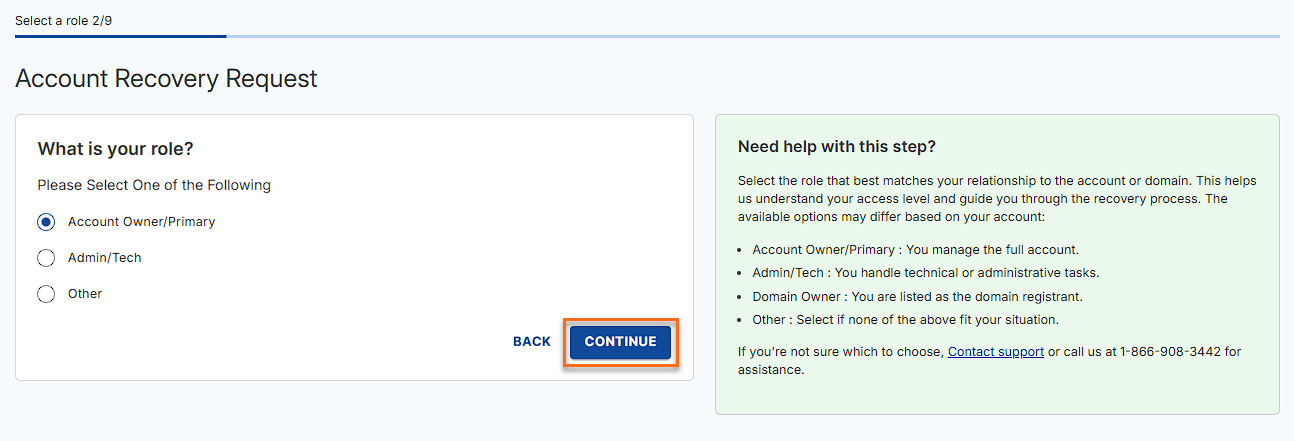
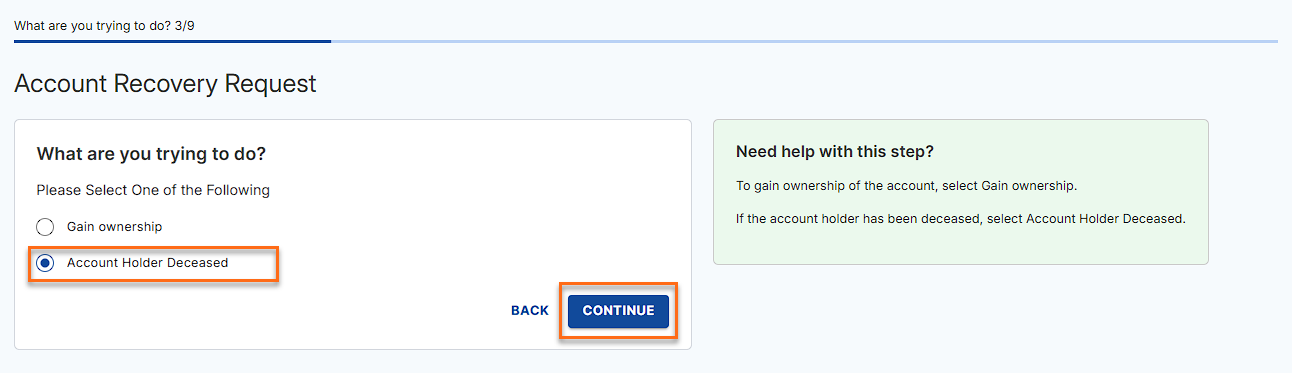
The roles displayed on this step may depend on the available User/Roles added to the account. - Select Account Holder Deceased and click Continue.
The options available may depend on the role you select
If you select Other as a role, you will get the options below, select Account Holder Deceased, and click Continue: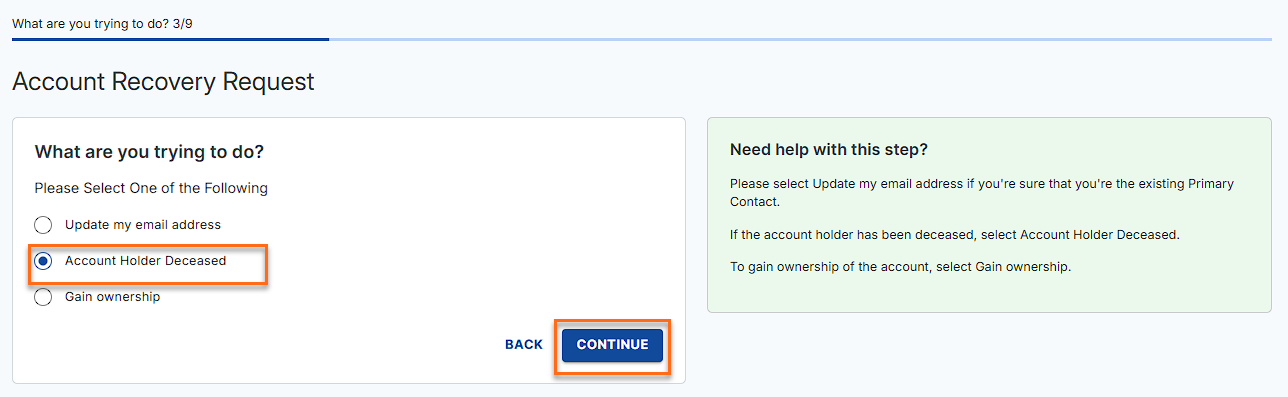
- Enter your User ID or Create a New User ID if you forgot or do not have an existing User ID, and click Continue.
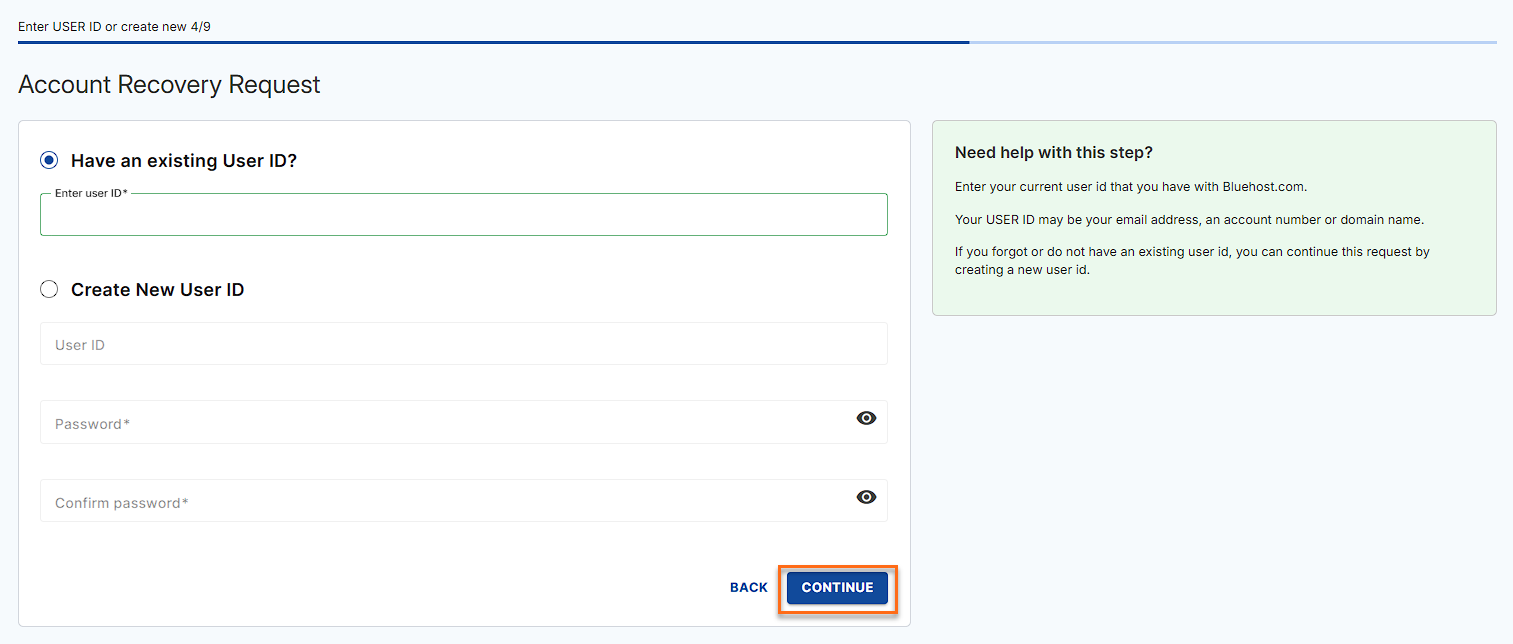
- Fill in the needed contact information and click Continue.
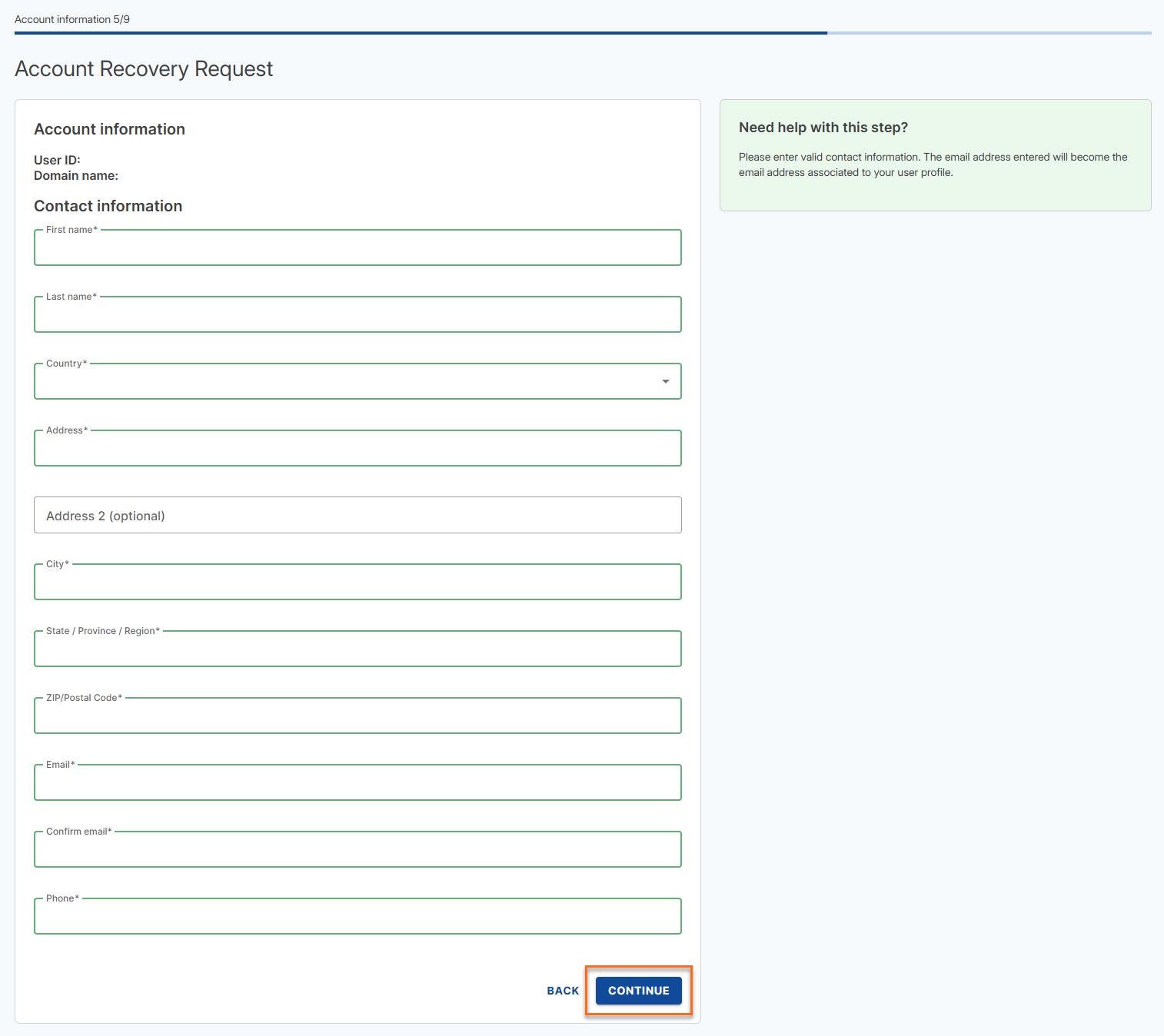
- Select the Government ID that you will upload and click Browse Files to upload your Government ID. Check the box that says The document(s) uploaded are in color and are not expired, then click Continue.
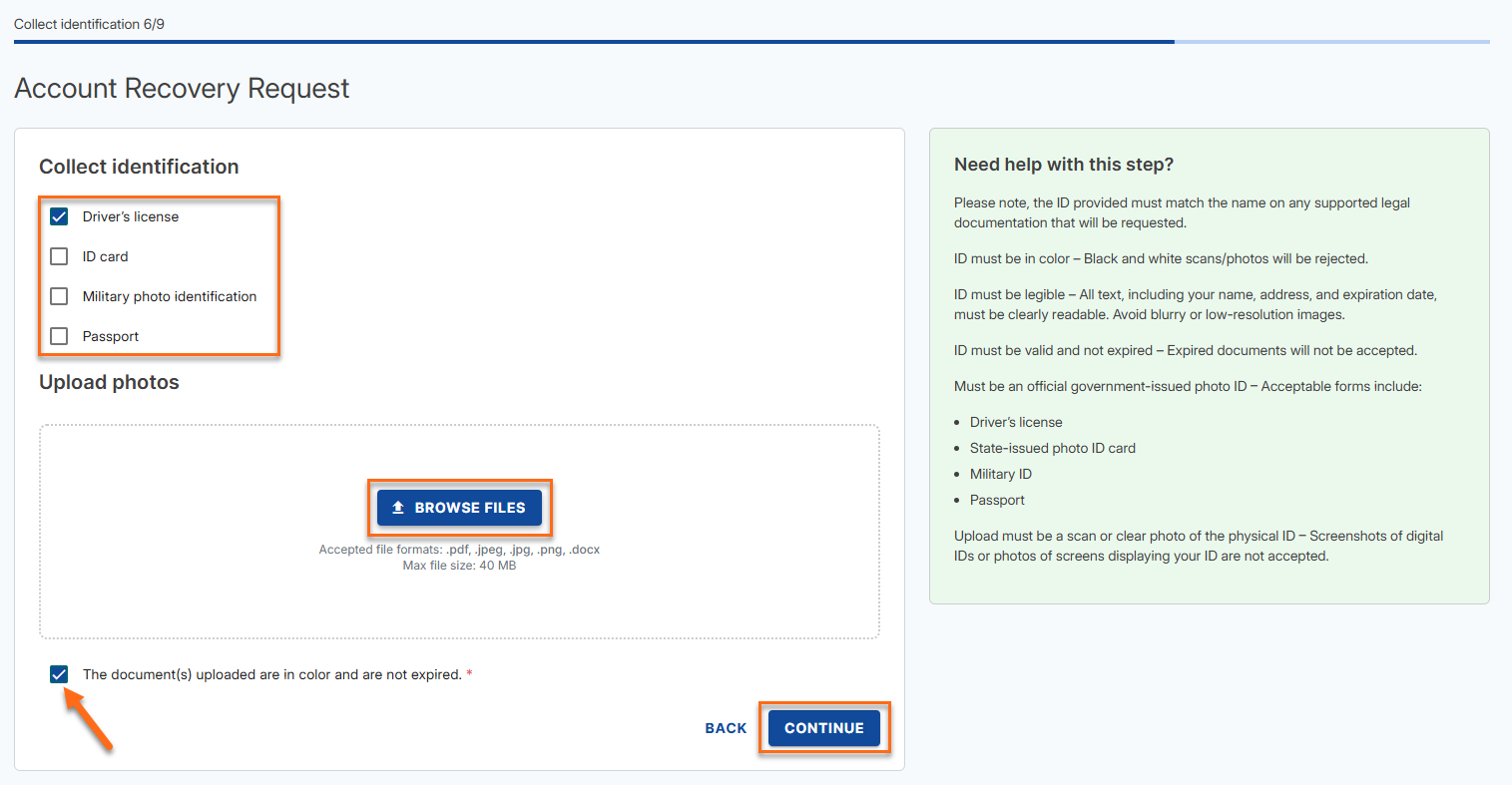
- Select the additional documents you will upload and click Browse Files to upload your documents. Check the box that says The document(s) uploaded are in color and are not expired, then click Continue.
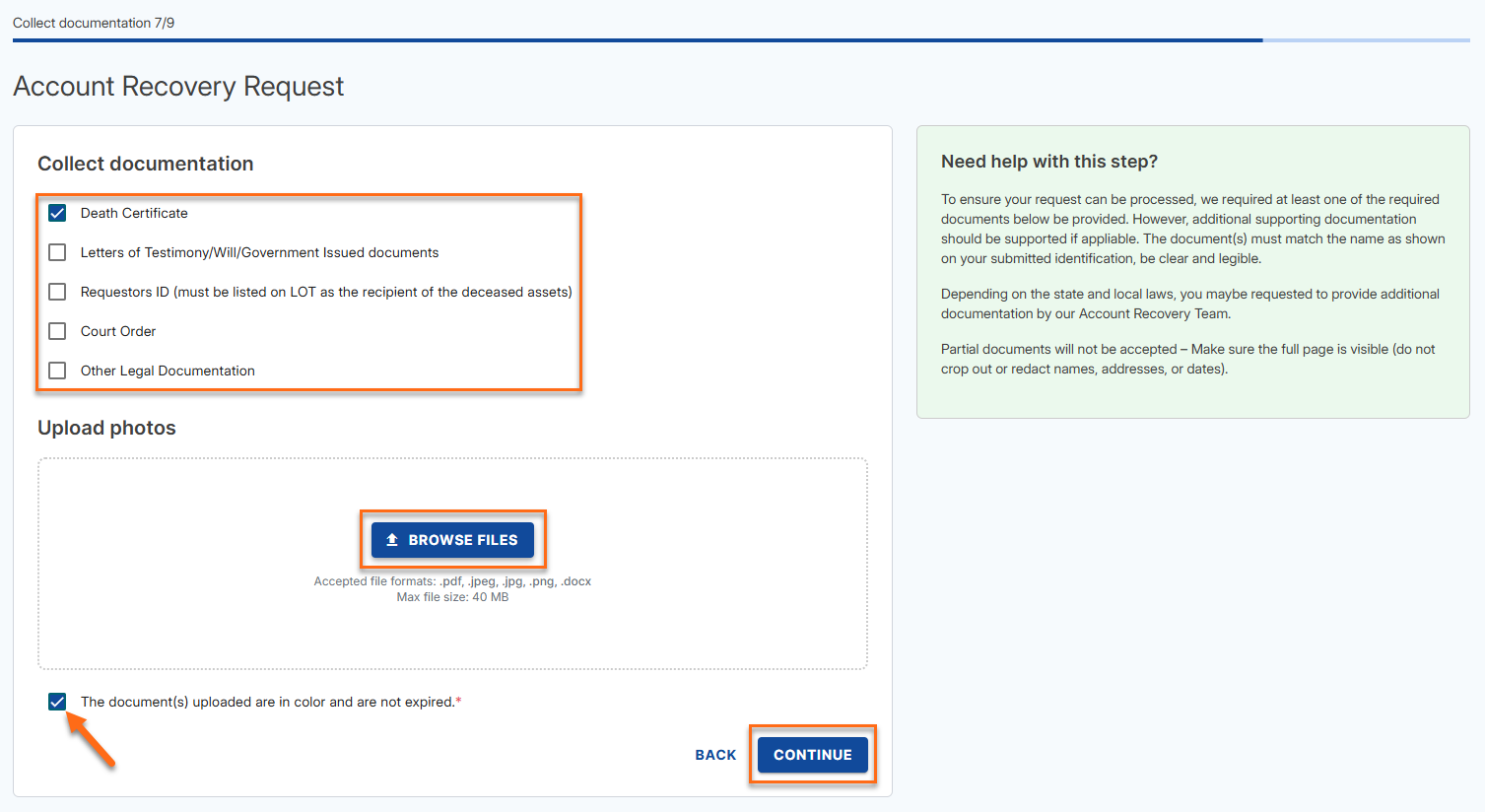
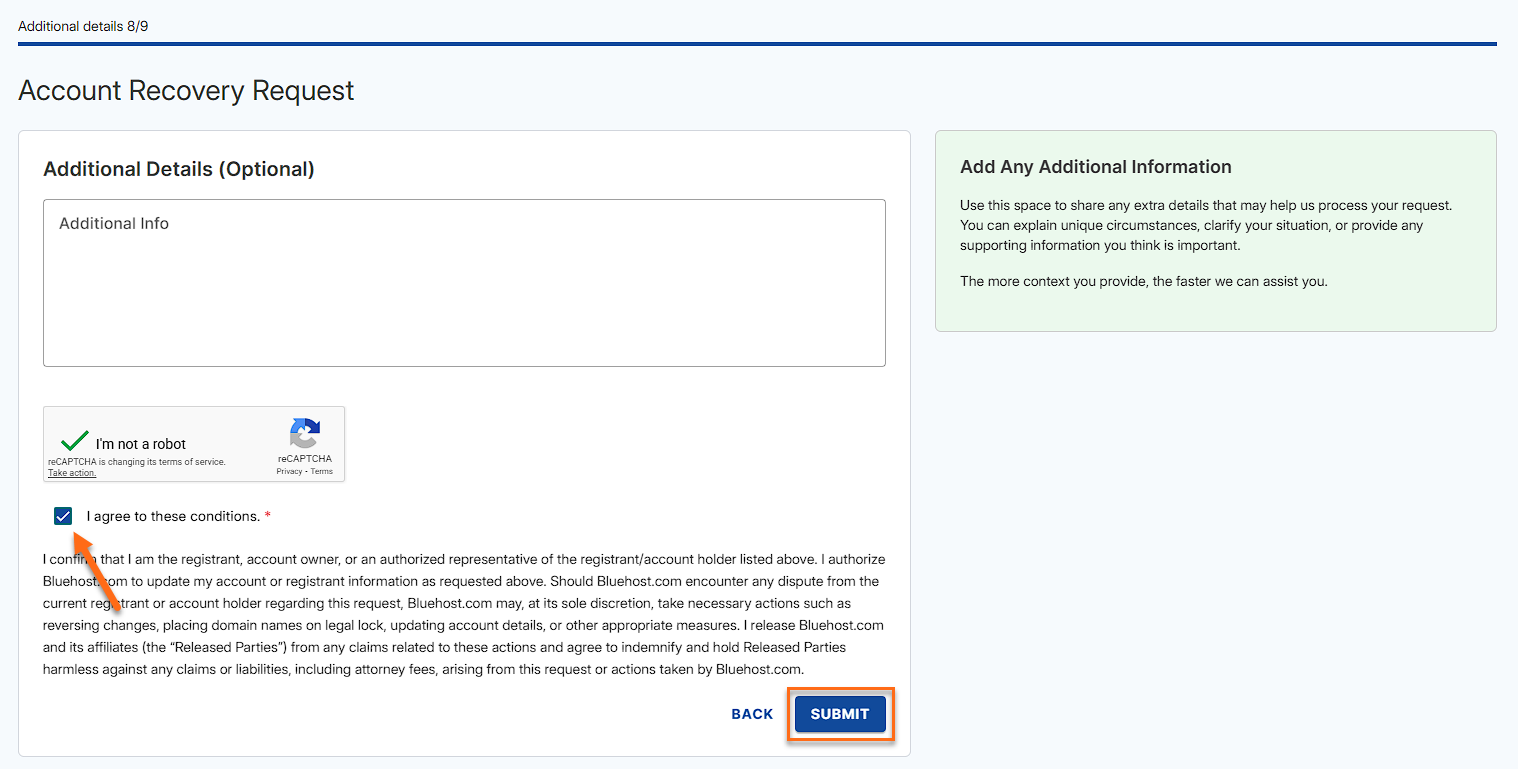
- Provide any additional information, check the I agree to these conditions, and click Submit.
- Lastly, you should see the Request Confirmation page with your ticket number on it.
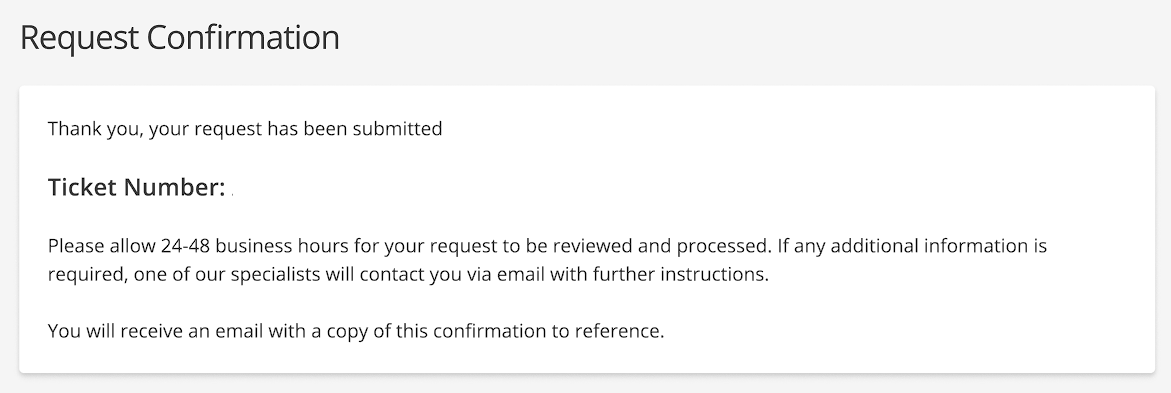
Please take note of your ticket number for your reference.
Related Articles
Did you find this article helpful?