How to Create a Subdomain in cPanel and Set Document Roots
When you create a subdomain in cPanel, you will be asked to choose the subdomain name, the domain it will belong to, and the document root directory where your new subdomain will load its content.
- Terminologies used in this guide ⤵
- Document root directories for subdomains ⤵
- Why can document root directories not be the same ⤵
- Related articles ⤵
Terminologies used in this guide
- Domain name - A domain identifies your website on the World Wide Web.
(Reference: What Is a Domain Name? (Blog)
- Subdomain name (or simply subdomain) - A subdomain is a prefix added to the main domain to easily organize and navigate the website. For example, your website is "snappygator.com," while your shop (or subdomain) could be "shop.snappygator.com."
(Reference: What is a Subdomain Name & How to Create One)
- Document root - This is also known as the web server document root. It is a folder where the website files are kept on the server. Each domain name has its own unique folder on the server.
(Reference: What is a Document Root Folder?)
Document root directories for subdomains
If you have addon domains or parked domains and want each one to use the same subdomain name but load different content, pay close attention to the Document Root field when creating a subdomain in cPanel.
When adding a subdomain, cPanel automatically fills in the document root with a directory name. This is where your subdomain's files will be stored. A subdomain is an extension of your main domain, but it needs its own directory to display its own content.
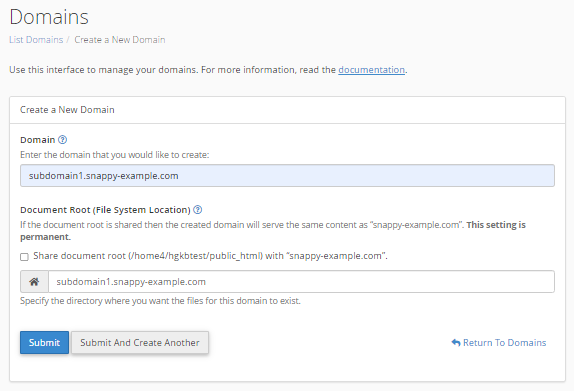
Why can document root directories not be the same
This is very important because if you create "blog.snappygator.com" and "blog.example.com" on the same cPanel and leave the Document Root fields as what the cPanel suggested, both of your blogs (subdomains) will load from the same directory of /public_html/blog. You will not have separate content for each subdomain.
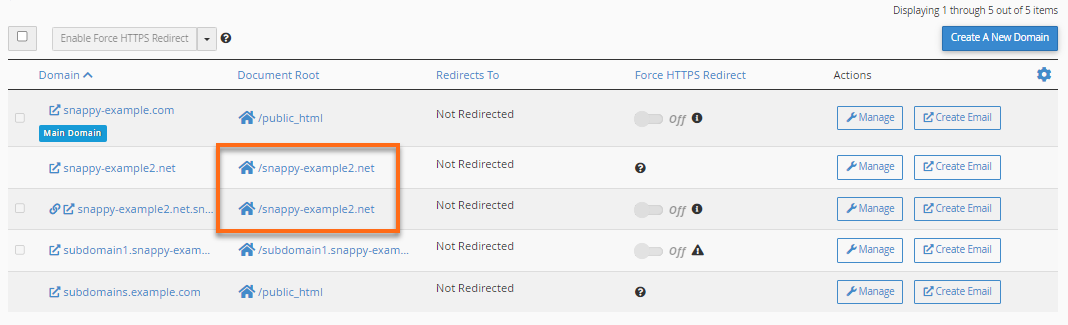
As shown in the image above, when you access the websites blog.snappygator.com and blog.example.com, both will show the same content as they both have the same document root directories.
If you own several domains and wish to have a different blog set up for each domain that loads from the subdomain name "blog," you will have to change each domain's document root.
How to avoid duplicate document root directories
To avoid having duplicate document root directories when you create your new subdomain, make sure you set the document root to something other than /public_html/blog. Instead, set it to something like /public_html/blog1. If you have done this correctly, you will have more than one domain using "blog" as a subdomain, but both subdomains will be loading separate content.
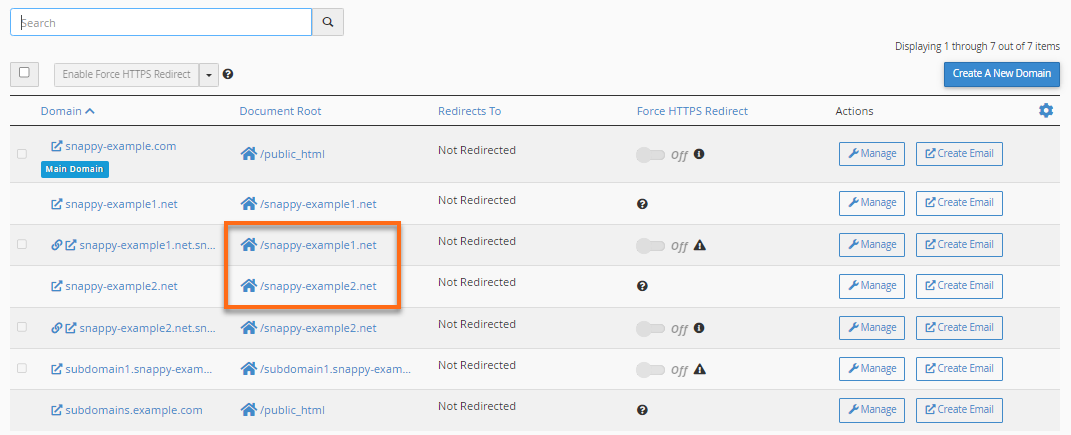
The image above shows that blog.snappygator.com and blog.example.com have their own document root directories, thus making them display their own separate website contents.