Knowledge Base
How To Rate and Review Scripts With Softaculous
Softaculous allows its user to rate and leave comments on its available scripts.
This article discusses the following topics:
- How to Rate a Script
- How to Leave a Review on a Script
How to Rate a Script
- Log in to cPanel.
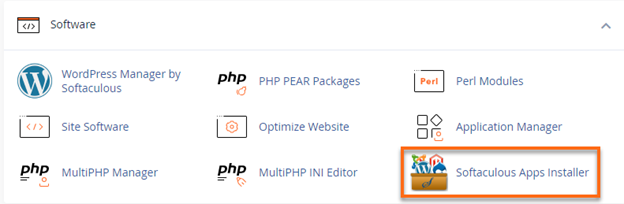
- Look for the Software section, then click on Softaculous Apps Installer.
-
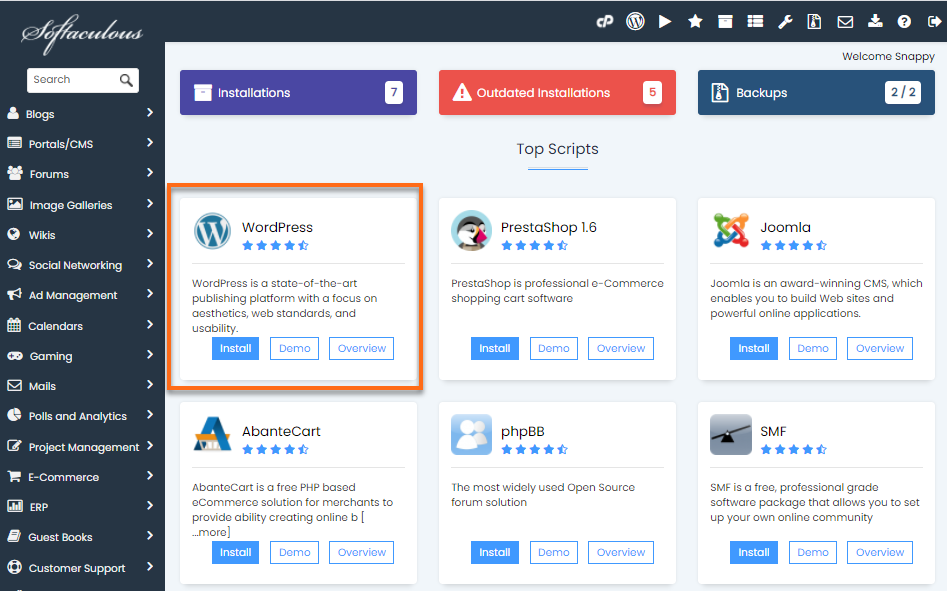
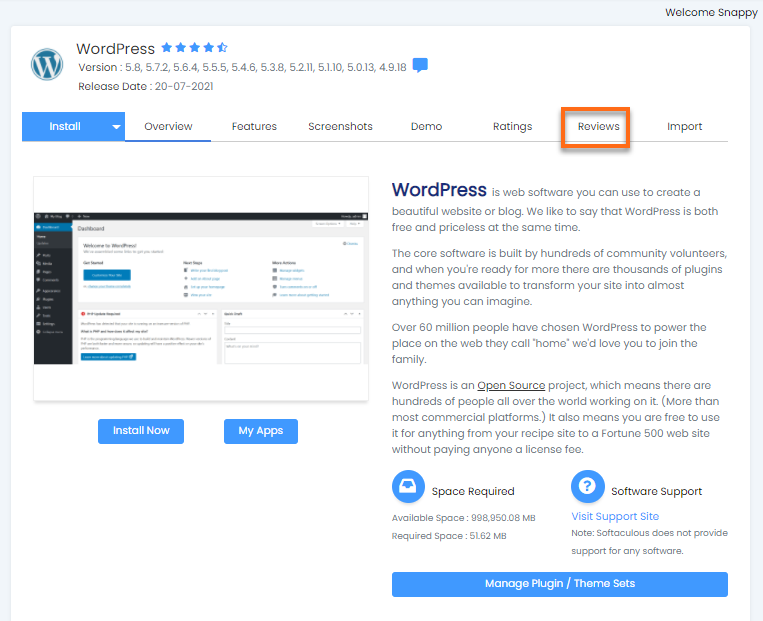
Click on the Script that you would like to rate. We will use WordPress as an example.
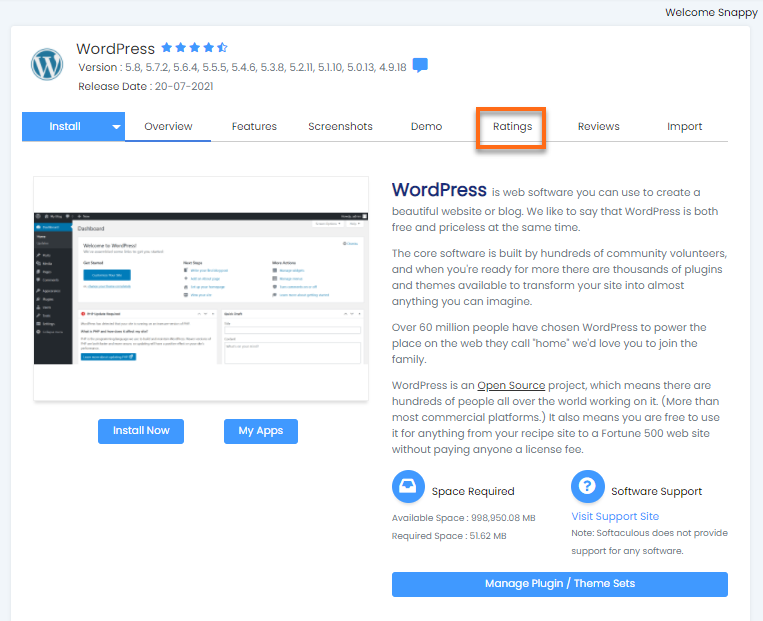
- Click the Ratings tab.
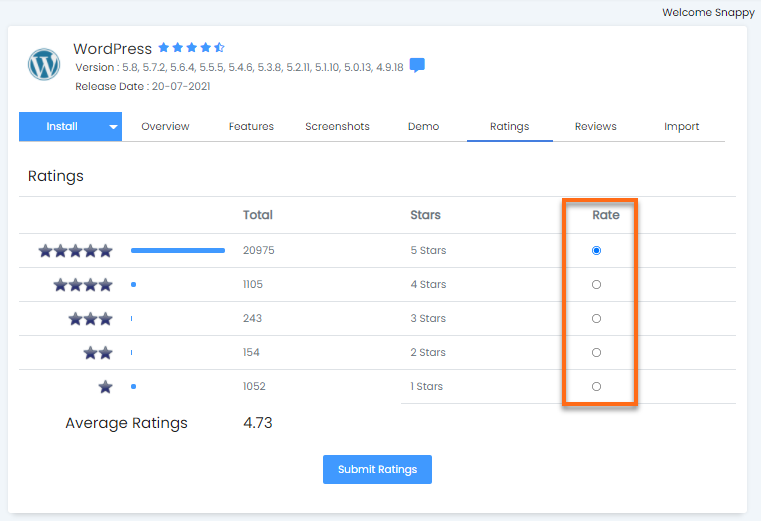
- Select your score for the script, then click on the Submit Ratings button once done.
How to Leave a Review on a Script
- Log in to cPanel.
- Look for the Software section, then click on Softaculous Apps Installer.
-
Click on the Script that you would like to rate. We will use WordPress as an example.
- Click on the Reviews tab.
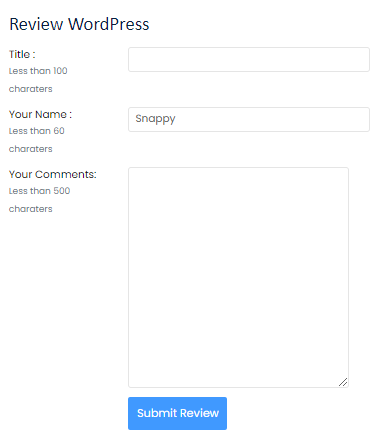
- Navigate down to the Review WordPress section and leave your review for the script.
Did you find this article helpful?