How to Find and Read Your HostGator Invoices
This article will go over where to find your HostGator invoices, how to check whether an invoice is paid or unpaid, and how to read invoice details for different product types, such as add-ons, domains, and hosting plans.
Where do I find my invoices?
You can locate your invoices in two main areas of the HostGator Customer Portal: Order History (paid invoices) and the Renewal Center (unpaid and upcoming invoices).
Order History — View Paid HostGator Invoices
In the Order History, you can find all the paid invoices in your HostGator account. Follow these steps to access your invoices in the Customer Portal.
- Log in to the Customer Portal.
- Click the User Profile found at the upper right corner of the page.
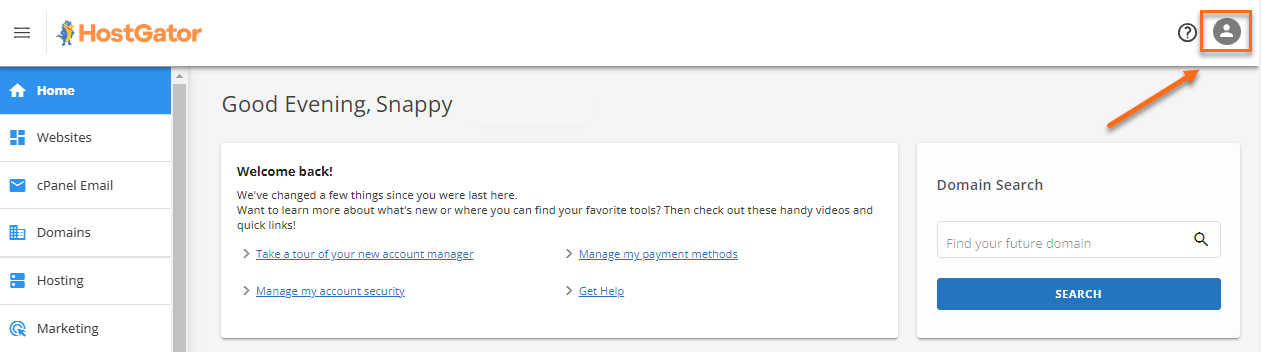
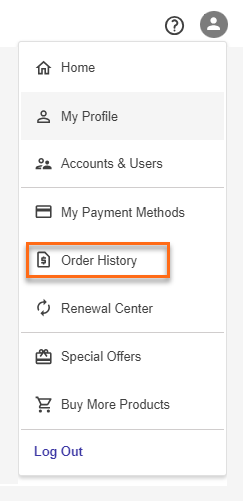
- Select Order History.
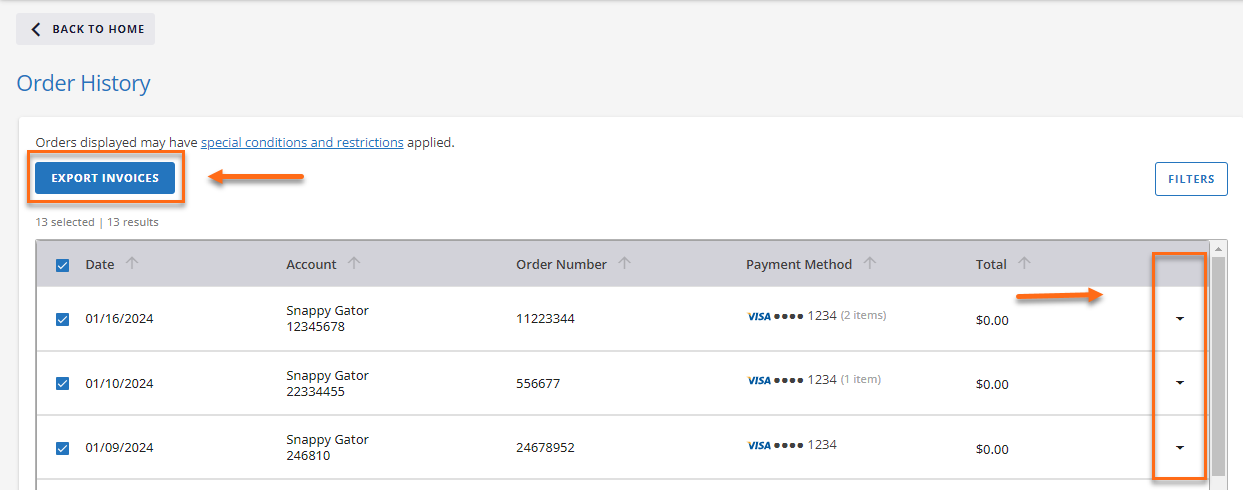
- Click on the dropdown arrow of the invoice you would like to view, or click the Export Invoices button to view the invoice details.
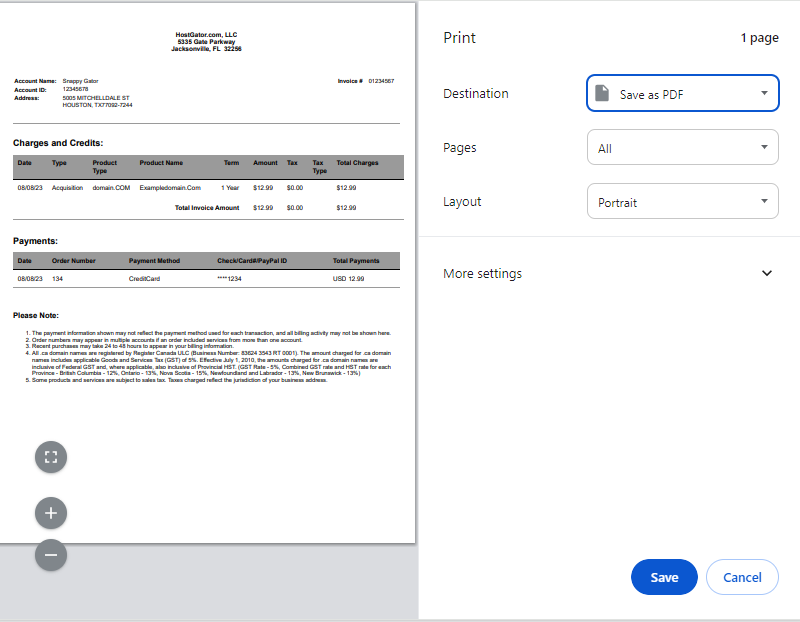
- To print an invoice, right-click on the invoice and select Print, or press Ctrl+P (Windows) or Command+P (Mac) on your keyboard to print the invoice. (Please make sure to select Save as PDF.)
Renewal Center — View Unpaid and Future Invoices
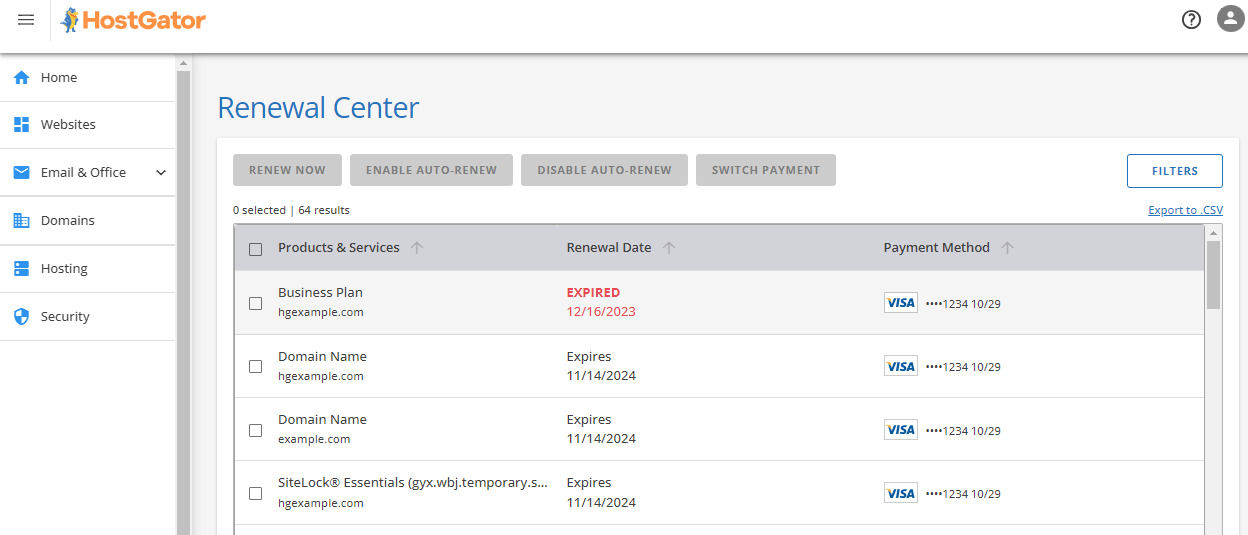
The Renewal Center displays all unpaid invoices and upcoming billing for services like hosting, domains, and add‑ons.
Important notes:
- If you have a past‑due invoice, you cannot pay future invoices until the overdue balance is cleared.
- You can pay invoices here using a credit card or a PayPal account.
For step‑by‑step payment instructions, refer to the article: Customer Portal – Make a Payment.
What's in my invoice?
This section explains the invoice details you'll find in your HostGator billing records. Each invoice has two main parts: the Invoice Header and the Invoice Content.
Invoice Header
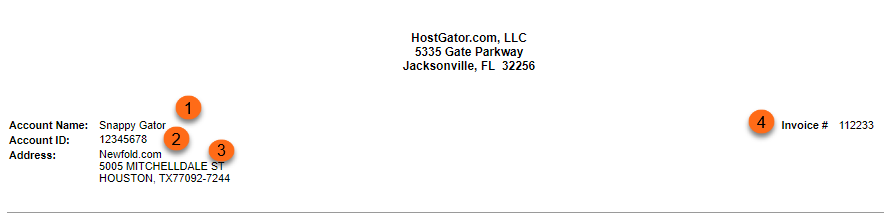
The general information of your invoice is displayed in the header section.
- Account Name: The name on the account.
- Account ID: This is your HostGator account number.
- Address: This is your billing address.
- Invoice #: This is your invoice ID. Each invoice has its unique invoice number.
Invoice Content
The Invoice Content section is where you will see the complete description of your invoice.
Summary of Charges and Credits

This section will display the following:
- Date - The date the product was billed.
- Type - There are two kinds of Types:
- Acquisition - Newly purchased products or services.
- Renewal - The product or service for renewal.
- Product Type - This could be a domain, hosting, etc.
- Product Name - The exact name of the product.
- Term
- Amount - The product price.
- Tax
- Tax Type
- Total Charges - This is the total Amount and Tax.
- Total Invoice Amount - The sum of Total Charges
Payments

This section will display the following:
- Date - The date payment was made.
- Order Number - The order number.
- Payment Method - If the payment was made via credit card or PayPal.
- Check/Card/PayPal ID - The last 4 digits or characters of the credit card or PayPal ID.
- Total Payments - The total amount paid.
Adjustments
This section will only show if billing adjustments were made to your account.
- Adjustment ID
- Date - The date the adjustments were made.
- Event Id
- Adj Type - It could be a refund or a credit.
- CSR Ref ID
- CSR ID
- Amount - The amount credited or refunded.
- Tax
- Tax Type
- Total Adj - The total adjustments made, including taxes.