Knowledge Base
How to Set Email Signatures in Webmail
The free webmail client RoundCube allows you to easily set email signatures for all outgoing messages. Adding a professional webmail signature helps standardize your communications and saves time.
Roundcube on HostGator now features an updated theme. The option to switch to the old theme has been removed, but all email features remain unchanged and no action is required.
-
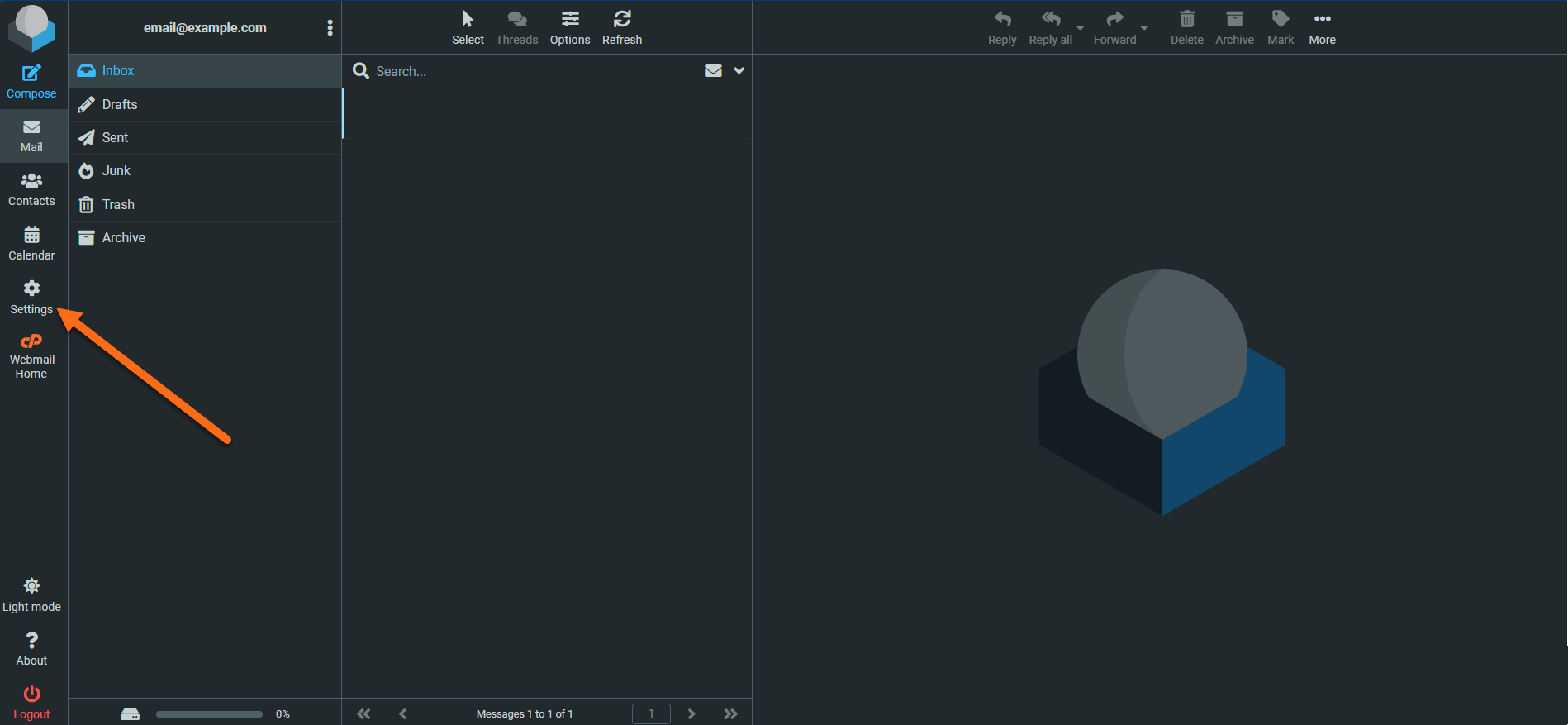
Click Settings on the left side of the page.
-
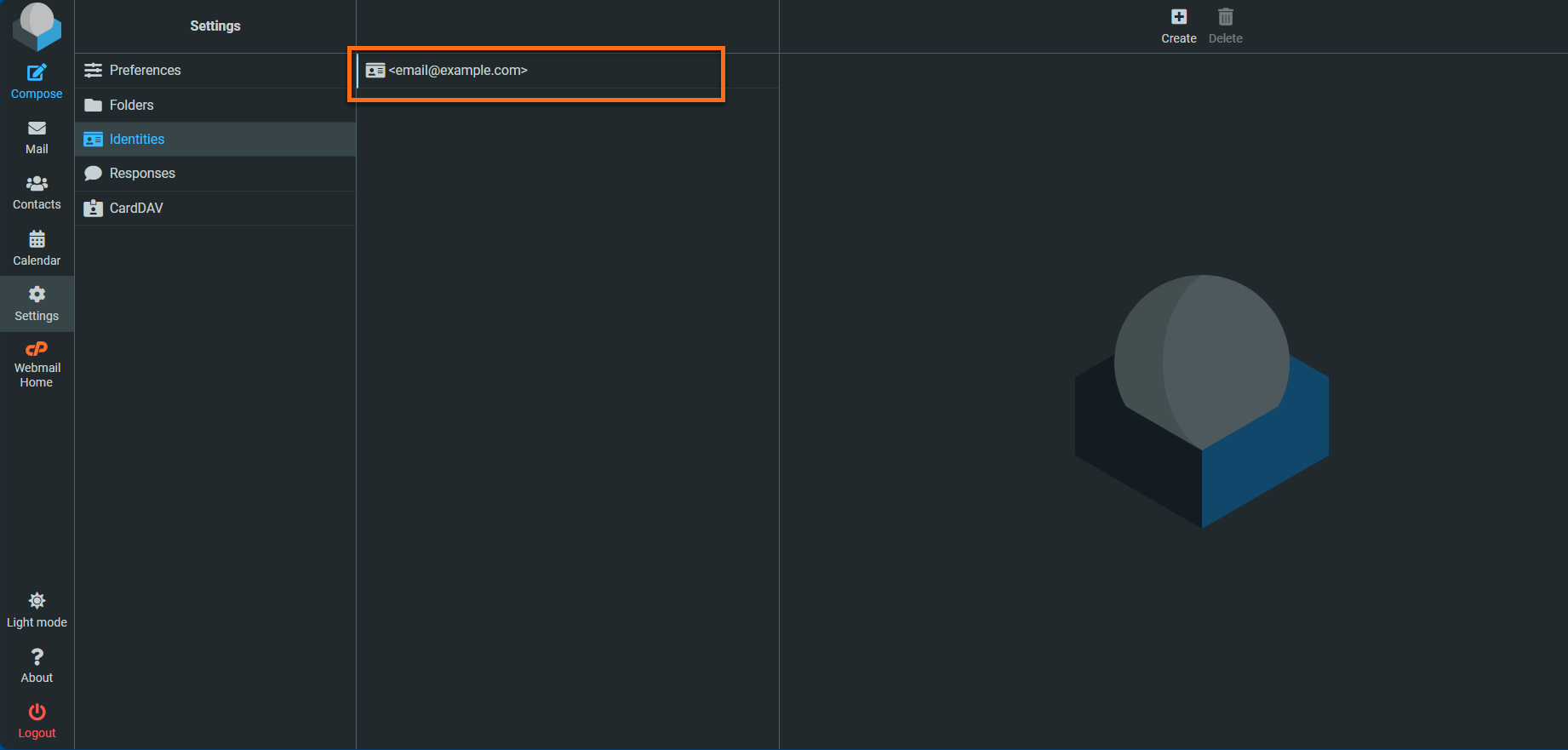
On the Settings page, click the Identities tab.

-
Double-click on the email address that you want to create a signature for.
-
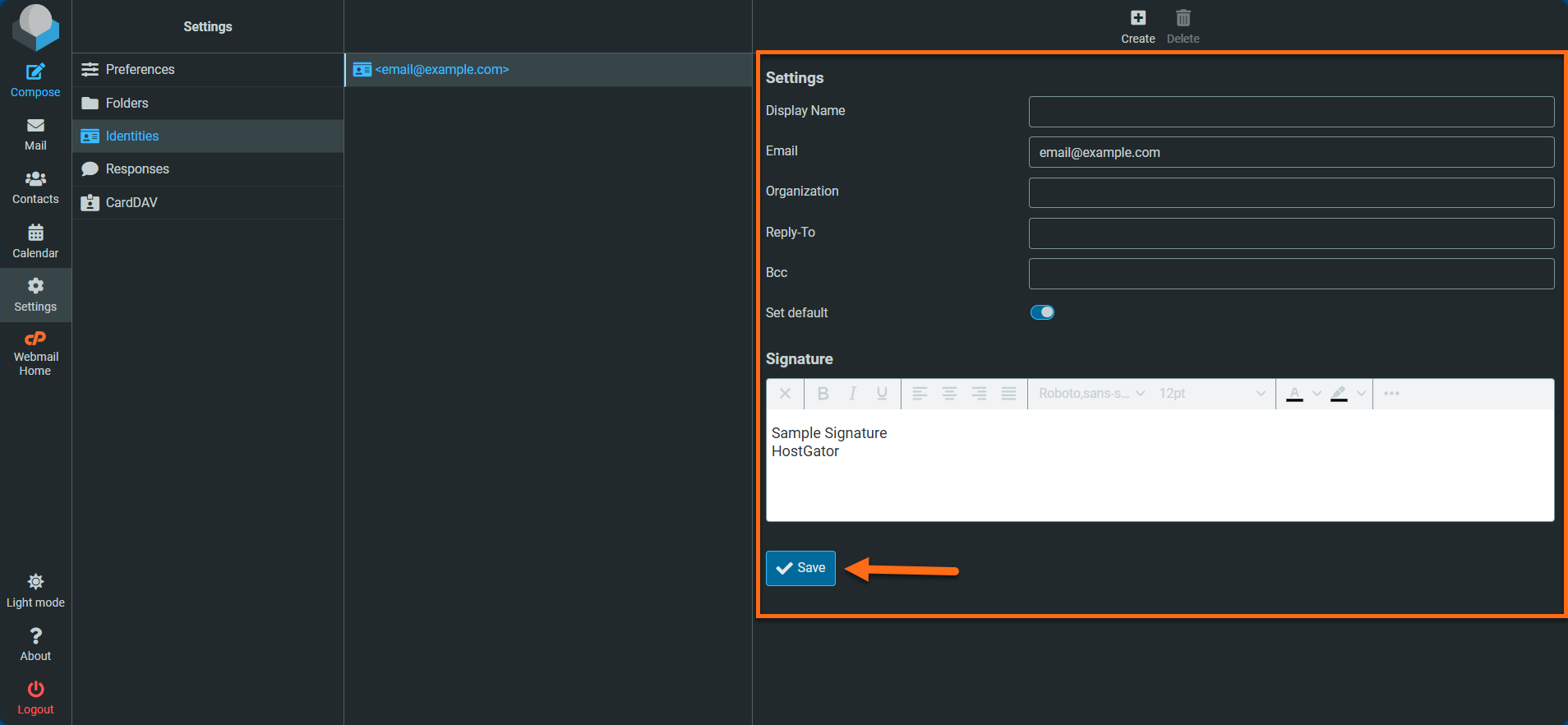
Add your signature and Save.
Did you find this article helpful?