Knowledge Base
Professional Email - How to use Mentions in Emails
When you write an email, you'll often need to bring clients, collaborators, or other key contacts into the conversation. With the Mention feature in HostGator Professional Email, you can tag someone directly in the message body by typing @ and their name, so your communication stays clear and well organized.
For example, imagine you own a photography business and you're emailing a client a shoot schedule. Partway through, you realize your assistant should be included as well. Instead of adding them to the recipient list yourself, just mention them in the message, and they're added to the recipients automatically.
Log In to Professional Email Webmail
- Option 1: Access Webmail Through the HostGator Customer Portal ⤵
- Option 2: Access Webmail Directly ⤵
Option 1: Access Webmail Through the HostGator Customer Portal
- Log in to your Customer Portal.
- Click Email in the left-side navigation menu.
- Optional: If multiple Professional Email subscriptions are listed, click Manage for the plan you want to access.
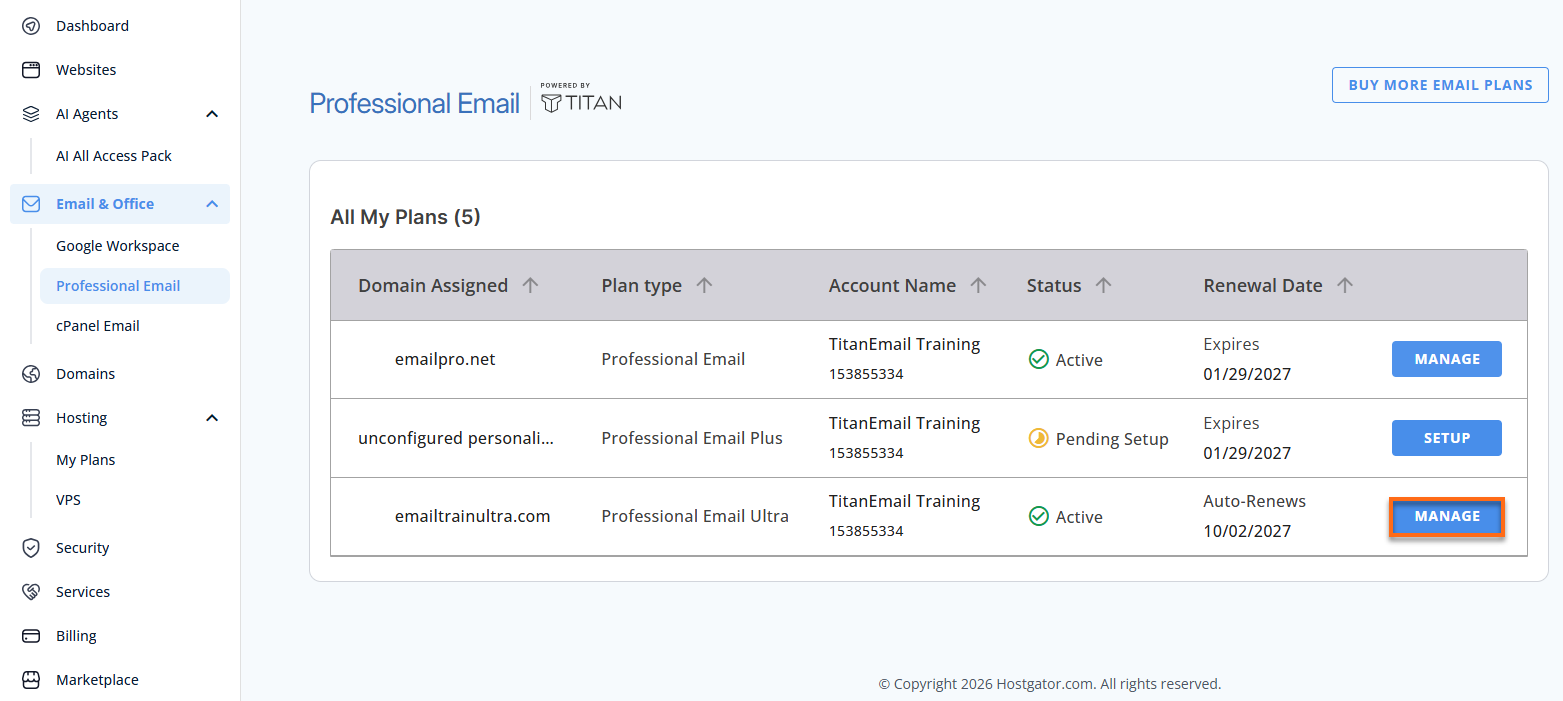
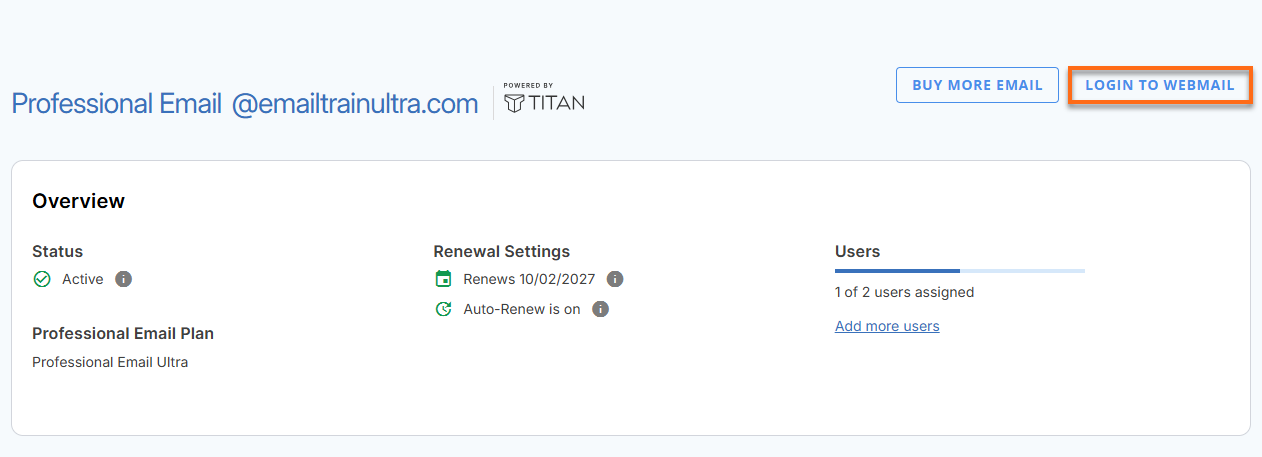
- You’ll be automatically redirected to the Email Management page, where you can manage your email settings and subscriptions.
- Click Login to Webmail.
- Enter your Professional Email username and password.
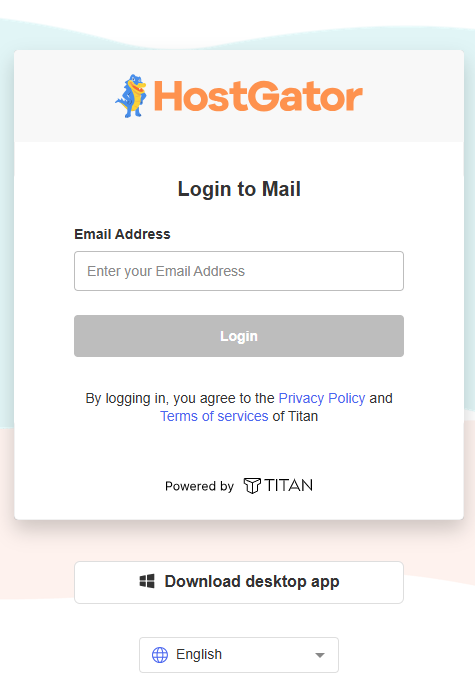
- Click Login.
Option 2: Access Webmail Directly
- Go to the Professional Email login page.
- Enter your email address and password.
- Click Login.
Mention a Contact in an Email
Here's how to mention a contact as you write a message:
- Open the email composer by selecting New email.
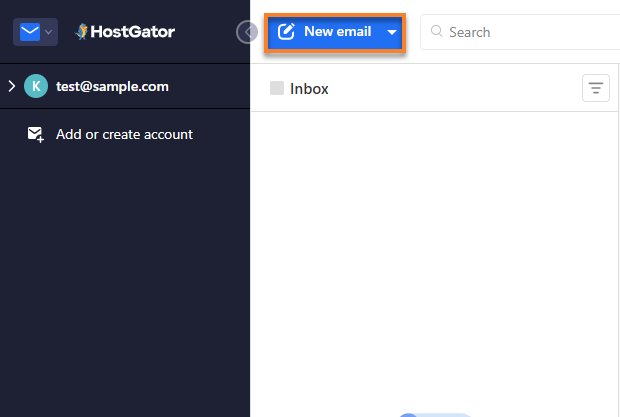
- Begin writing your message.
- In the body of the email, type @ and then the contact's name.
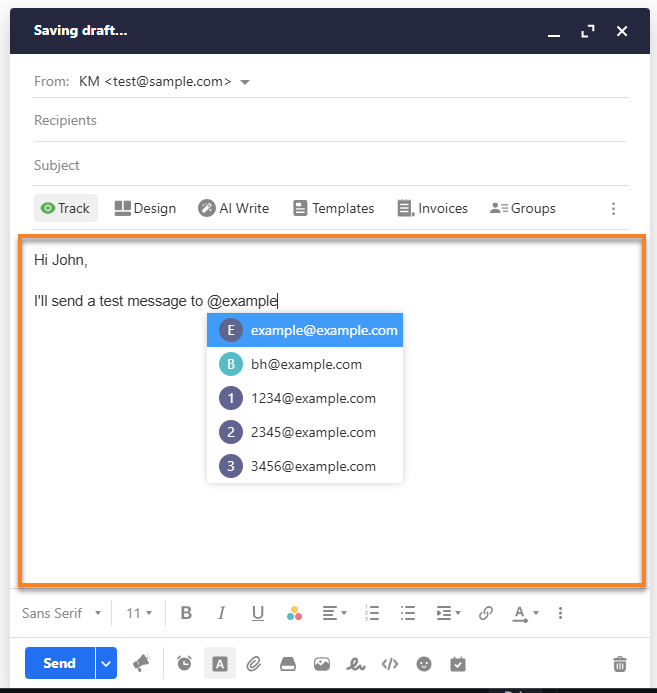
- A list of saved contacts that match what you typed appears.
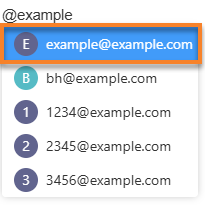
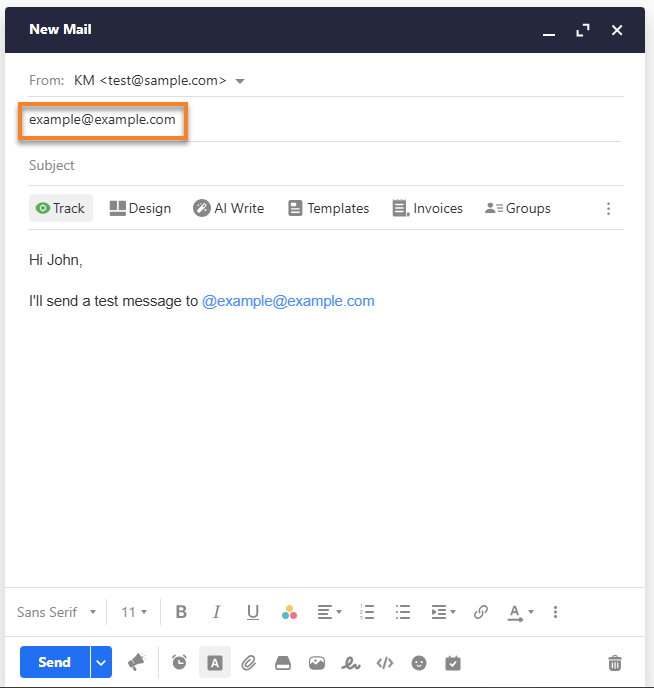
- Select the contact you'd like to mention.
- The contact is added to the recipient list automatically.
Things to Know
- Suggestions show up on their own as soon as you type @ and a letter.
- If none of your saved contacts match, no suggestions are displayed. Type the complete email address instead, then press Tab to confirm it.
Did you find this article helpful?