Customer Portal Website Insights
Having a well-optimized website is essential for success in today's digital landscape. HostGator's Website Insights feature helps you evaluate your website's performance, accessibility, SEO, and adherence to best practices, providing a comprehensive view of your site's overall health. By identifying opportunities for improvement, Website Insights helps you enhance the user experience, improve search visibility, and strengthen your online presence.
This article explains where to find Website Insights in the Customer Portal and how to use it to monitor and improve your website's performance.
Why Optimizing Your Website is Important
Website optimization is about more than just speed—it is an essential factor in your site's long-term success. An optimized website can help you:
- Deliver a fast, reliable, and seamless browsing experience that keeps visitors engaged.
- Reduce bounce rates by ensuring pages load quickly and function properly.
- Improve your search engine rankings, making it easier for potential customers to find your website online.
- Increase accessibility for all users, including those with disabilities or special accessibility needs.
- Build trust with visitors through secure, dependable website performance.
- Encourage conversions, repeat visits, and long-term customer loyalty.
- Strengthen your brand reputation while improving overall customer satisfaction.
- Support sustainable business growth by maintaining a high-performing online presence.
- Continuously monitor and improve your website using tools like HostGator's Website Insights, helping you stay competitive in an ever-evolving digital marketplace.
How to Access Website Insights
To access Website Insights in the Customer Portal:
- Log in to your Customer Portal.
- Click Websites in the left-hand menu.
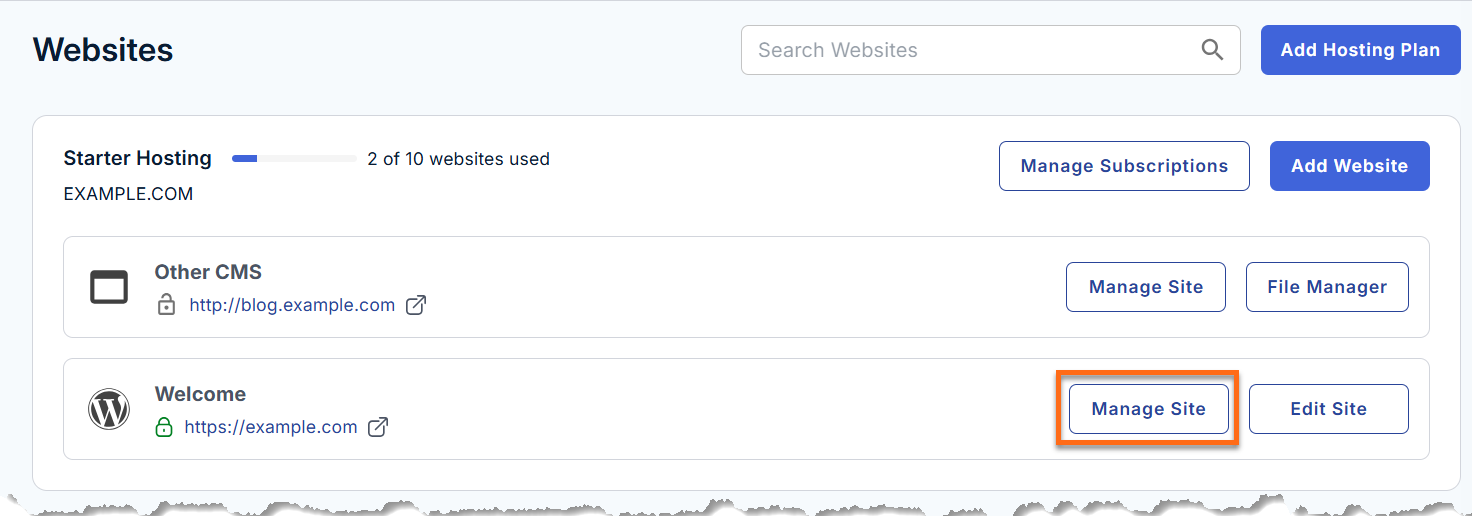
- Click the Manage Site button next to your website.
- Click the Insights tab.
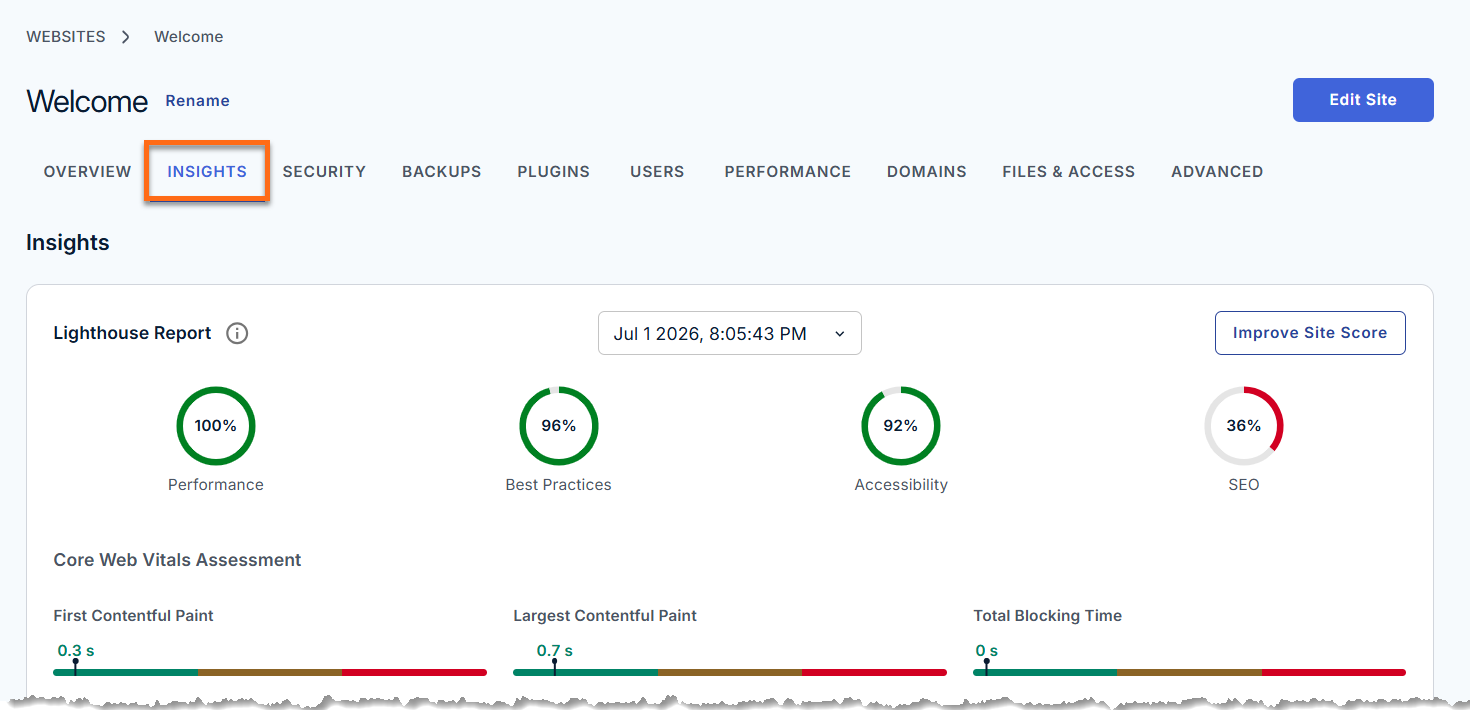
- Under the Insights tab, you will see detailed reports in two major categories.
Lighthouse Report
In the Lighthouse Report section, you will find the Core Web Vitals Assessment, which displays the following metrics:
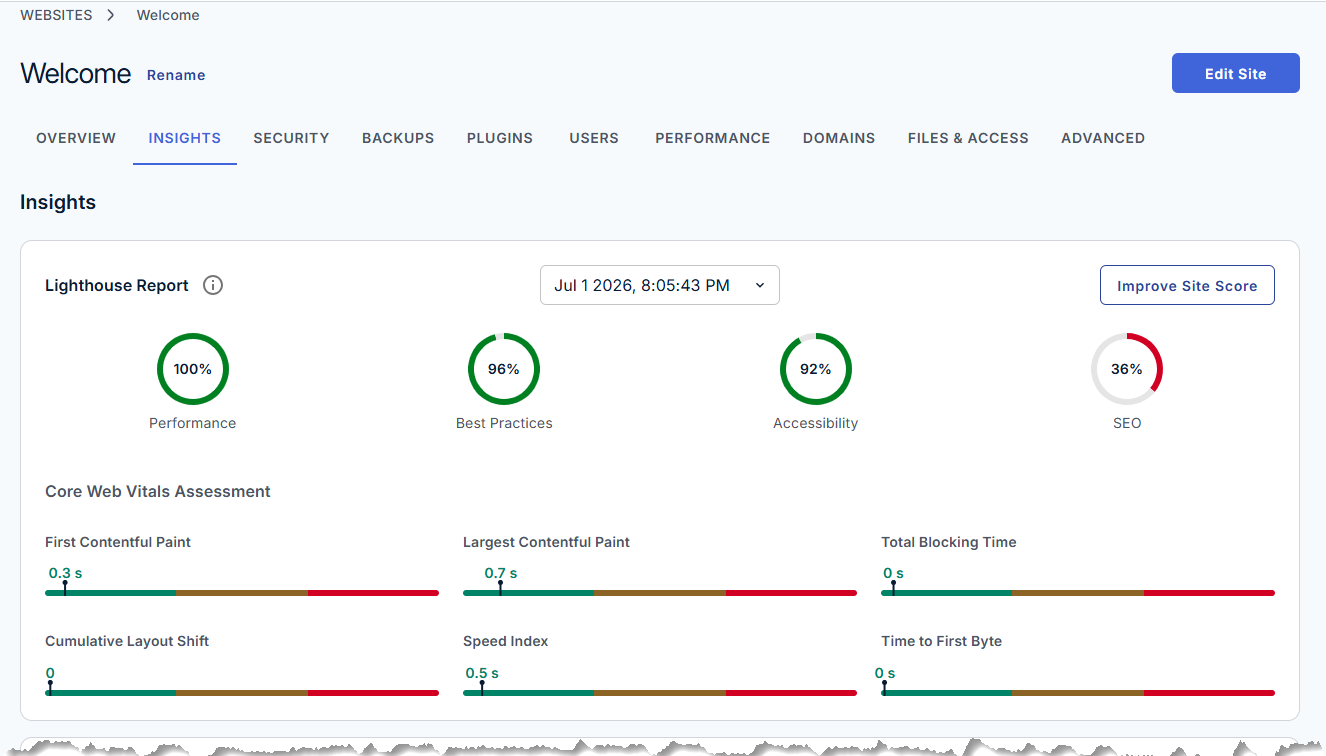
- First Contentful Paint (FCP): How quickly the first piece of content appears.
- Largest Contentful Paint (LCP): When the largest visible content is rendered.
- Total Blocking Time (TBT): The duration the page is prevented from responding to user input.
- Cumulative Layout Shift (CLS): Visual stability during page loading.
- Speed Index: How quickly content visually loads.
- Time to First Byte (TTFB): How fast your server responds.
These metrics provide clear indicators of how your site performs from a real-world user perspective.
Lighthouse Scans
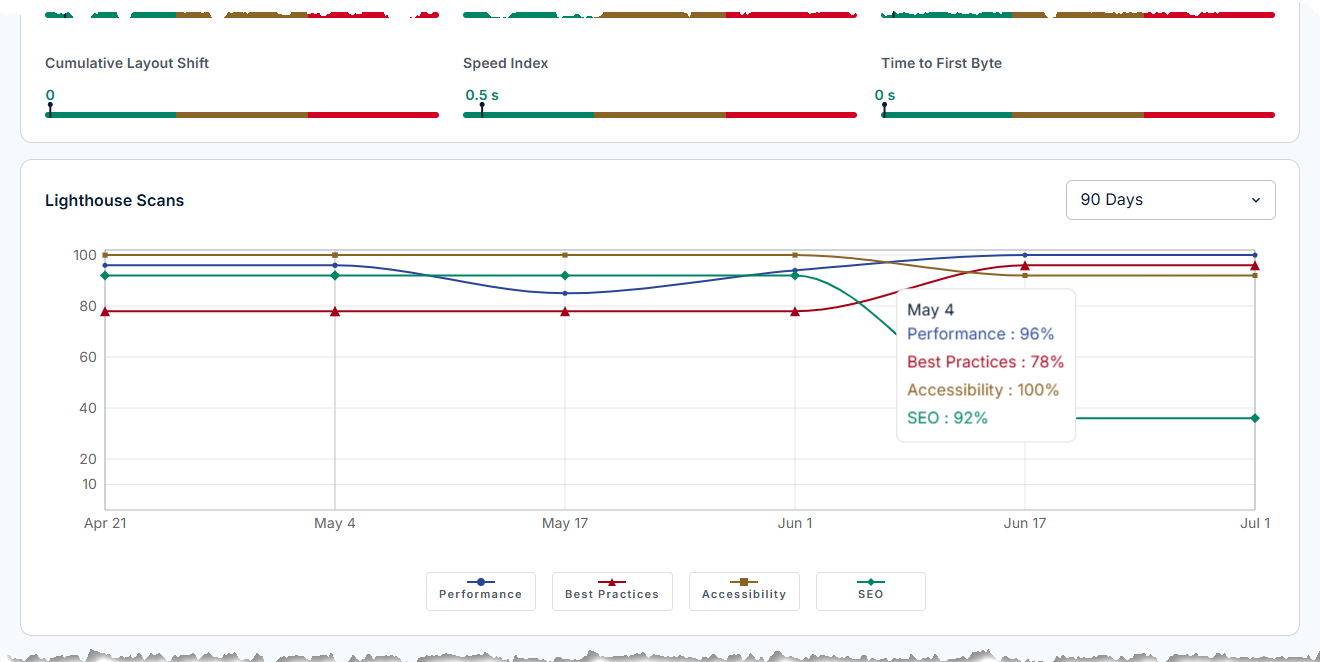
Track your website’s performance over time with a visual graph of Lighthouse scan results across different dates. Use the filter at the top (such as Last 90 Days) to analyze performance trends. The graph uses color-coded metrics for Performance, Best Practices, Accessibility, and SEO, providing a clear snapshot of your website’s overall health and progress.