Knowledge Base
Customer Portal - How to Manage the Coming Soon Page
The Customer Portal includes a Coming Soon Page feature that lets you display a temporary landing page on your WordPress website while you build, update, or maintain your site behind the scenes.
The Customer Portal's Coming Soon Page overrides the Coming Soon functionality provided by the HostGator plugin.
Enable or Disable the Coming Soon Page
The Coming Soon Page feature is available only for WordPress installations hosted with HostGator.
- Log in to your Customer Portal.
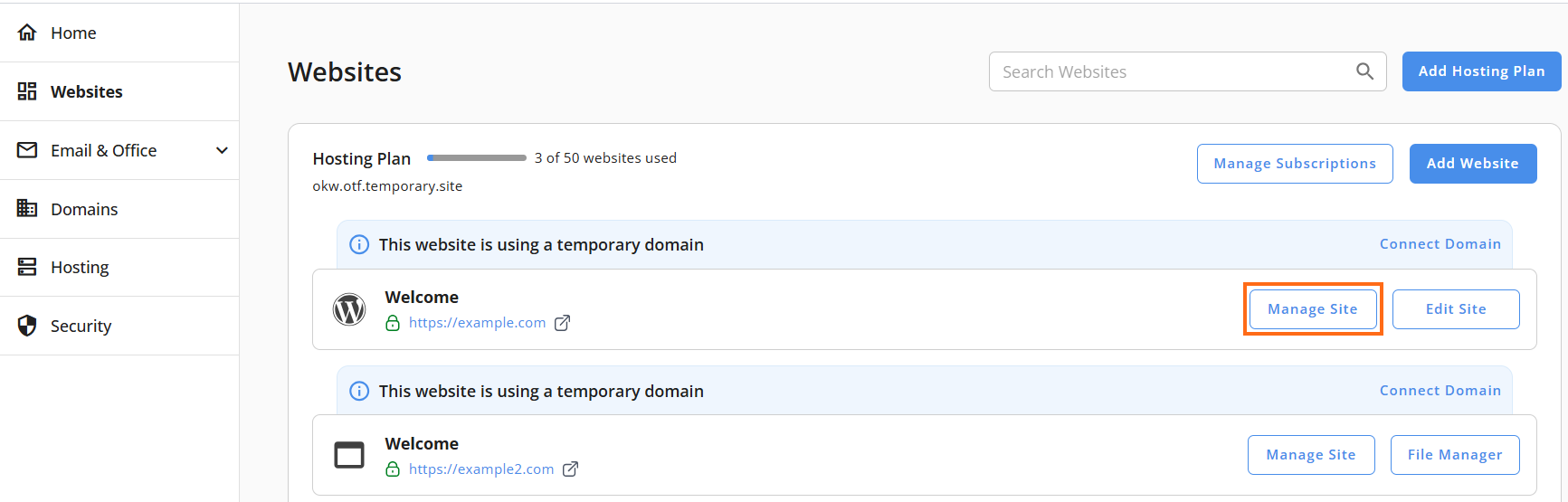
- Go to Websites from the left navigation menu.
- Click Manage Site next to the website you want to manage.
- On the website management page, click the Advanced tab.

- Scroll down to the Coming Soon Page section.
- Use the toggle switch to enable or disable the feature.
- The toggle status indicates whether the feature is active:
- Blue – The Coming Soon Page is enabled.

- Grayed out – The Coming Soon Page is disabled.

- Blue – The Coming Soon Page is enabled.
Did you find this article helpful?